





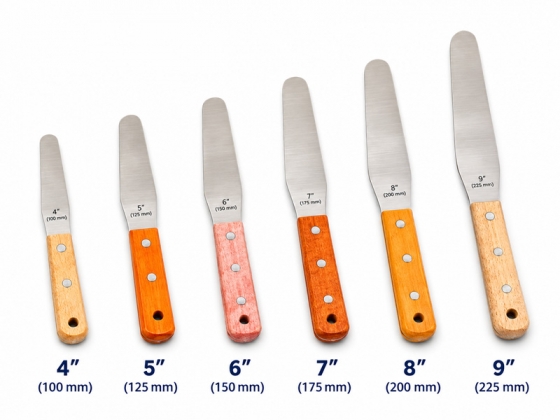
Stainless steel screen printing ink spatula
- Helps achieve uniform ink mixing
- Scrapes ink to minimize residue
- Convenient ink transfer
- Easy cleaning after use
Product details
The stainless steel screen printing ink spatula, also known as an ink mixing spatula, is a tool for preparing and handling screen printing inks. It is used to mix ink, scrape container walls, transfer ink onto screens and collect remaining ink after printing.
The stainless steel blade and handle allow convenient handling of small to medium quantities of ink during colour mixing and ink replenishment throughout production.
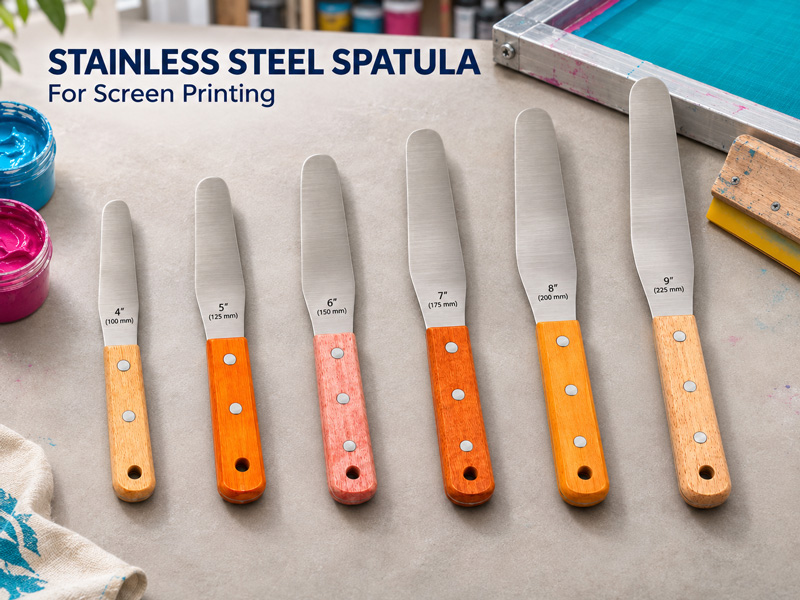
Key Features
1. Helps achieve uniform mixing
Used to stir and fold ink within a container, helping distribute components evenly during ink preparation or colour mixing. The mixing method and duration should follow the instructions for the ink being used.
2. Scrapes container walls and bottoms
The blade helps collect ink from container walls, bottoms and work surfaces, minimizing residual ink.
3. Transfers and spreads ink
Convenient for transferring ink from its container to a mixing vessel, adding ink to a screen or spreading ink where required.
4. Construction options to suit different needs
Available with a stainless steel blade and wooden handle, or in an all-stainless steel construction. Select according to handling preferences, cleaning requirements and the working environment.
5. Various blade sizes
Blade length and width can be selected according to the container size, ink quantity and working area.
Technical Information
|
Item |
Information |
|
Product name |
Stainless steel ink spatula |
|
Function |
Mixing, scraping, transferring and spreading materials |
|
Blade material |
Stainless steel |
|
Construction |
Wooden handle or all-stainless steel |
|
Blade length |
100–300 mm |
|
Blade width |
25–40 mm |
|
Compatible materials |
Printing inks, adhesives and compatible binders |
Applications
▫ Mixing inks and colours during print preparation
▫ Transferring ink from containers to mixing vessels or screens
▫ Scraping container walls and bottoms, and collecting ink after printing
▫ Mixing and spreading adhesives and binders where metal tools are permitted
Directions for Use
1. Inspect the tool
Ensure the blade is clean and free from dried ink, abnormal sharp edges or damage that could affect the material being handled.
2. Mix the ink
Select a spatula size suitable for the container. Gently stir and fold the ink, scraping the walls and bottom to achieve an even mixture.
3. Transfer the ink
Take only the required amount and transfer it to the intended location, minimizing spills and cross-contamination between colours.
4. Handle carefully on the screen
Place the blade gently against the screen. Avoid dragging the metal edge across the mesh or applying excessive pressure.
Cleaning and Storage
Remove residual ink immediately after use. Clean with water or a dedicated cleaning solution compatible with the ink, adhesive and tool materials, then allow the tool to dry completely.
For wooden-handled versions, avoid prolonged soaking in water or cleaning solutions. Clean the tool before switching to another ink colour or material.
Important Notes
The ink spatula is intended for material preparation and transfer. It does not replace the printing squeegee.
Do not use with chemicals whose instructions prohibit metal tools. In particular, the previously mentioned MA/MB screen emulsion hardener system requires non-metal tools for mixing.
