





The role of temperature and humidity in screen printing
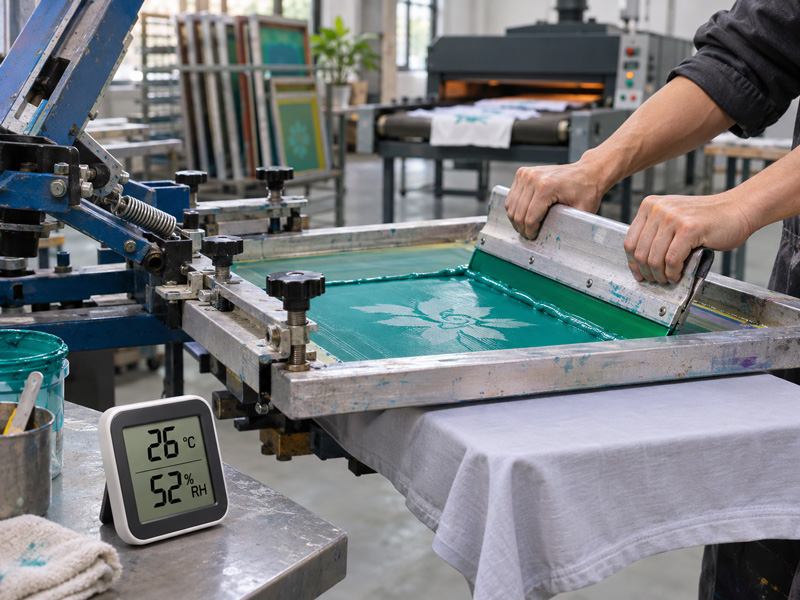
High humidity in the screen room slows emulsion drying. At the press, hot, dry air can cause water-based ink to dry in and clog the mesh. After printing, print durability depends on effective moisture removal and the cure conditions required by the ink.
At the start of a shift, the fine lines in a test print are sharp. After a brief press stop, some lines show gaps even though the operator has kept the same squeegee pressure. If you’re using water-based ink, first check whether it has dried in the mesh. If the print comes off the press with all its detail intact but peels after washing, check the dryer settings. When a defect first appears can help you decide where to start looking: the screen, the press, or the dryer.
How does high humidity affect screen emulsion?
After coating the screen, let the emulsion dry completely before exposure. High humidity in the screen room or a thicker coating will extend drying time. The surface may feel dry while the emulsion next to the mesh is still damp. Exposing the screen too soon can leave the stencil soft. It may lift during washout or break down early when printing with water-based ink.
How to control drying
Dry coated screens in a dark drying cabinet or a room with safelighting and even circulation of clean air. If humidity stays high, use a dehumidifier and keep the drying temperature within the emulsion manufacturer’s recommended range. Store dry screens in a dry area until exposure. If you change the emulsion or the number of coats, recheck drying time before running a step exposure test.
Why does water-based ink clog the mesh, and why does plastisol thicken when cold?
1. Water-based ink can dry in the mesh
Hot, dry air or a draft blowing directly across the screen speeds up water evaporation. Dried ink can block some mesh openings, causing small halftone dots to drop out or fine lines to print with gaps. If the defect gets worse after a press stop and improves after cleaning the screen, check the mesh openings before increasing squeegee pressure.
▫ Between prints or during brief stops, use the flood bar to leave a layer of ink over the image area.
▫ Redirect fans and air-conditioning vents so they do not blow directly across the screen. If you flash between colors, check whether the platens build up heat over repeated cycles.
▫ If the ink needs more open time on the screen, use a compatible retarder at the dosage specified in the ink’s technical data sheet (TDS).
2. Plastisol viscosity changes with temperature
Plastisol does not dry by water evaporation, so humidity has little direct effect on the ink on the screen. Temperature has a greater effect. Cold plastisol is typically more viscous and harder to push through the mesh. As the ink or platen warms up during a run, the amount of ink deposited on the fabric can change. If opacity changes midway through the shift, check the ink and platen temperatures before adjusting squeegee pressure or adding modifiers.
How can you tell whether the ink has fully cured?
1. Water-based ink must release moisture before cure is complete
Damp fabric and a thick ink deposit both increase the amount of moisture that must be removed. If the print feels dry but fades or peels during a wash test, check airflow, moisture exhaust, and dwell time in the dryer. Compare the dryer settings with the ink’s TDS. Run another sample and wash-test it before approving production.
2. Plastisol must reach cure conditions throughout the ink film
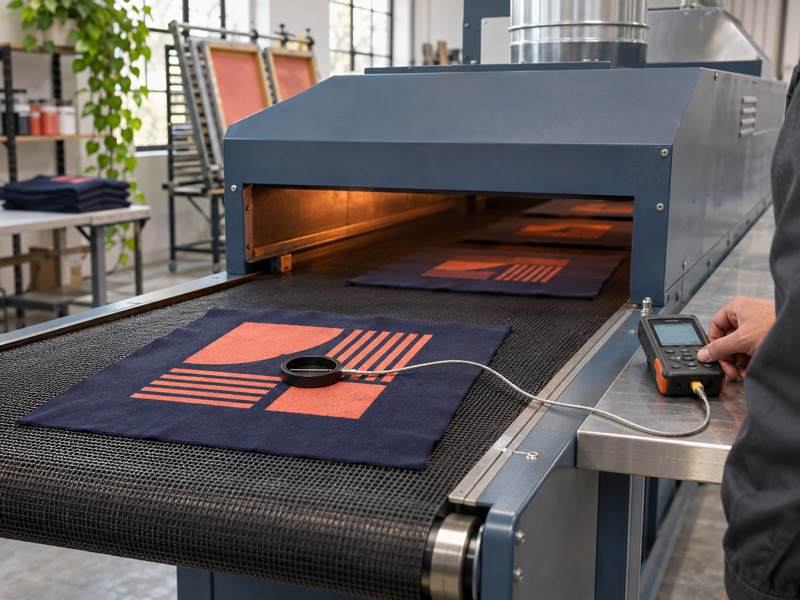
Flash curing between colors only needs to gel the surface enough for the next color to be printed. During the final cure, the ink must meet the manufacturer’s cure requirements throughout the full thickness of the deposit. An infrared thermometer reads surface temperature only. For thick deposits or stacked ink layers, use a suitable temperature probe to track the ink-film temperature as the sample passes through the dryer.
3. Watch for dye migration on dyed polyester
Excessive heat or prolonged heating can cause dye to migrate from the fabric into the ink film. For example, a white print on red polyester may turn pink. Test the actual fabric lot and inspect the sample both after cooling and again after storage. If you need to reduce the heat, select a low-cure ink system suited to the fabric or test a compatible dye-blocking underbase. Verify print durability after curing.
What should the shop record to troubleshoot print defects?
|
Stage |
Parameters to record |
Results to check |
|
Screen making |
Temperature, relative humidity, and screen drying time |
Emulsion dryness and step exposure test results |
|
Printing |
Temperature and humidity at the press, plus platen temperature if flash curing is used |
Fine-line reproduction, halftone dots, and opacity before and after a press stop |
|
Final cure |
Belt speed, dryer dwell time, and actual ink-film temperature |
Wash-test or rub-test results, depending on product requirements |
Set the conditions for each stage using the emulsion and ink manufacturers’ specifications. When running a test, record the ink product code and the fabric lot. Change one parameter at a time and keep a control sample so you can see which adjustment made a difference.
Conclusion
If the stencil lifts during washout, check whether the emulsion was fully dry before adjusting exposure time. If fine detail drops out after a press stop, check the mesh openings before adjusting squeegee pressure. If the print looks good but peels after washing, check the dryer and cure conditions. Use the point at which the defect first appears to narrow down the cause, then confirm the adjustment with a test print.
